DELTA EXCHANGE · ONBOARDING REVIEW · JULY 2026

Onboarding review and redesigned screens

I reviewed the current Delta onboarding flow from launch to empty portfolio, then redesigned the key screens around one setup model, clearer waiting states, safer first-trade defaults, and a more direct path to funding.

Shumaila
chini.dev
shumaila.chini@gmail.com
WhatsApp: +91 8605142552

What changes

  • Use one setup component across home, KYC, notifications, and portfolio. The current flow uses Verify Now, Get Verified, Complete KYC, and Initiate KYC for the same task.
  • Give every wait a visible state. Launch, DigiLocker, selfie review, and final verification should show what is happening and what the user can do next.
  • Make first-trade risk easier to understand. New accounts should see safer defaults, plain-language margin explanations, and a clear path to advanced modes.

Screens reviewed

Current captures are shown before each redesign so the comparison stays visible.

S1 · DISCOVER
Install to first glance
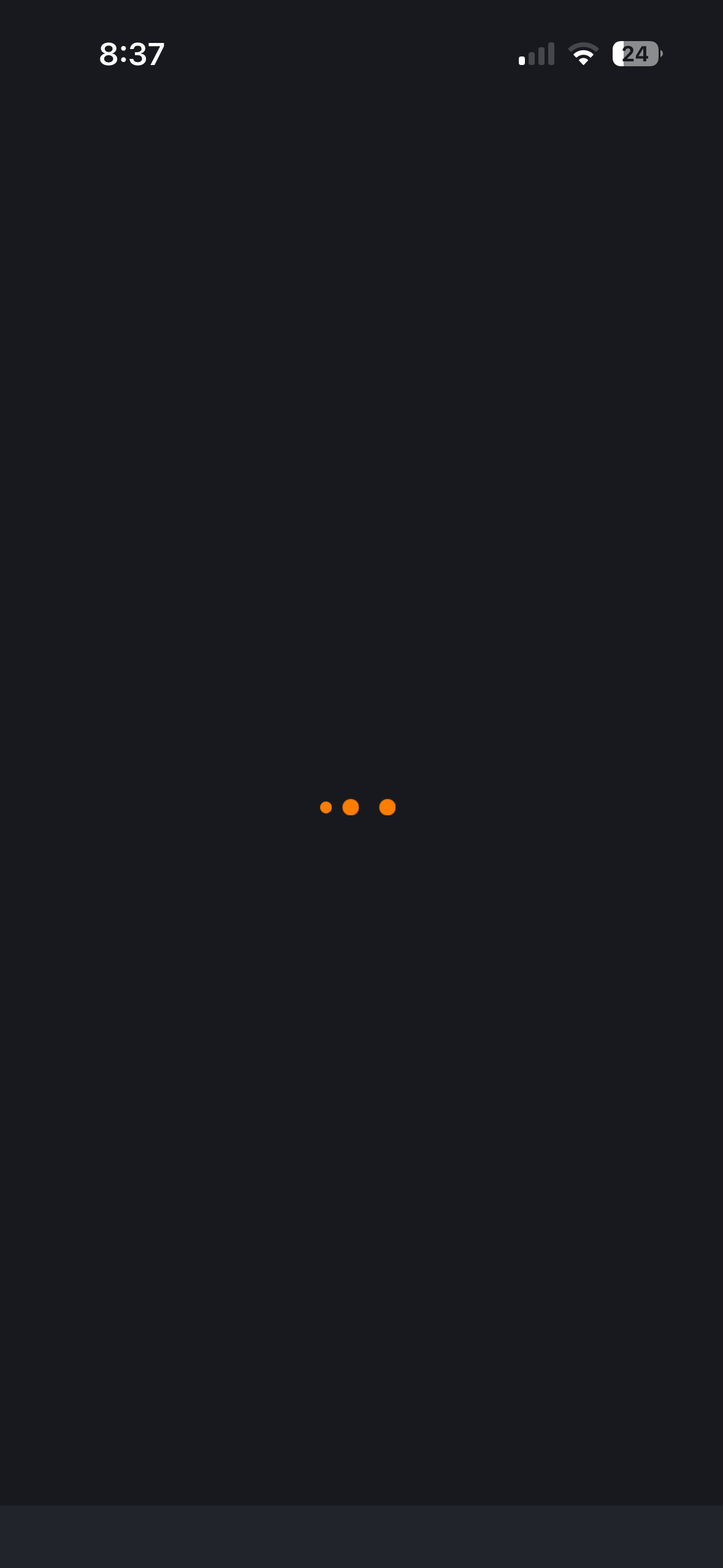
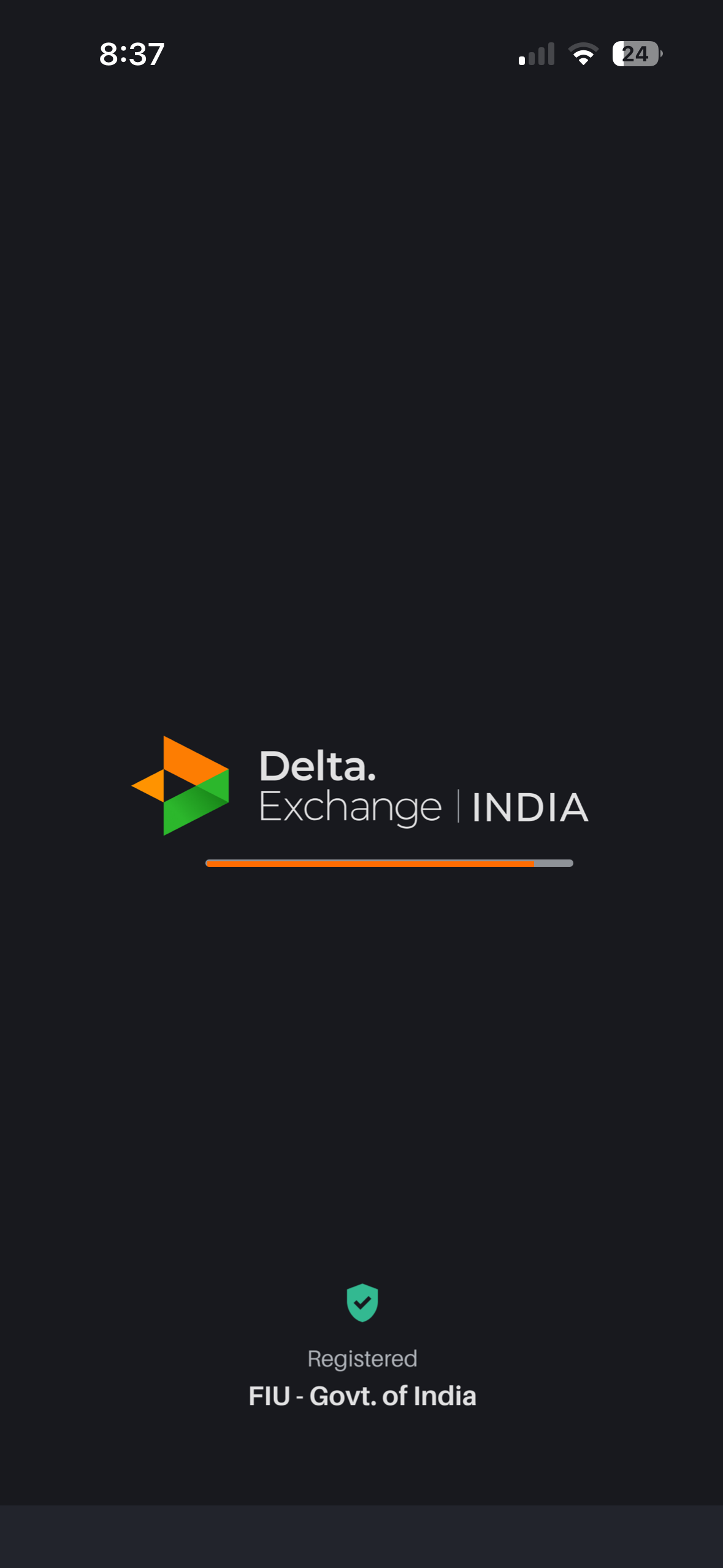
Splash screen capture
01 Splash
loader №1
Loading dots capture
02 Loading
loader №2
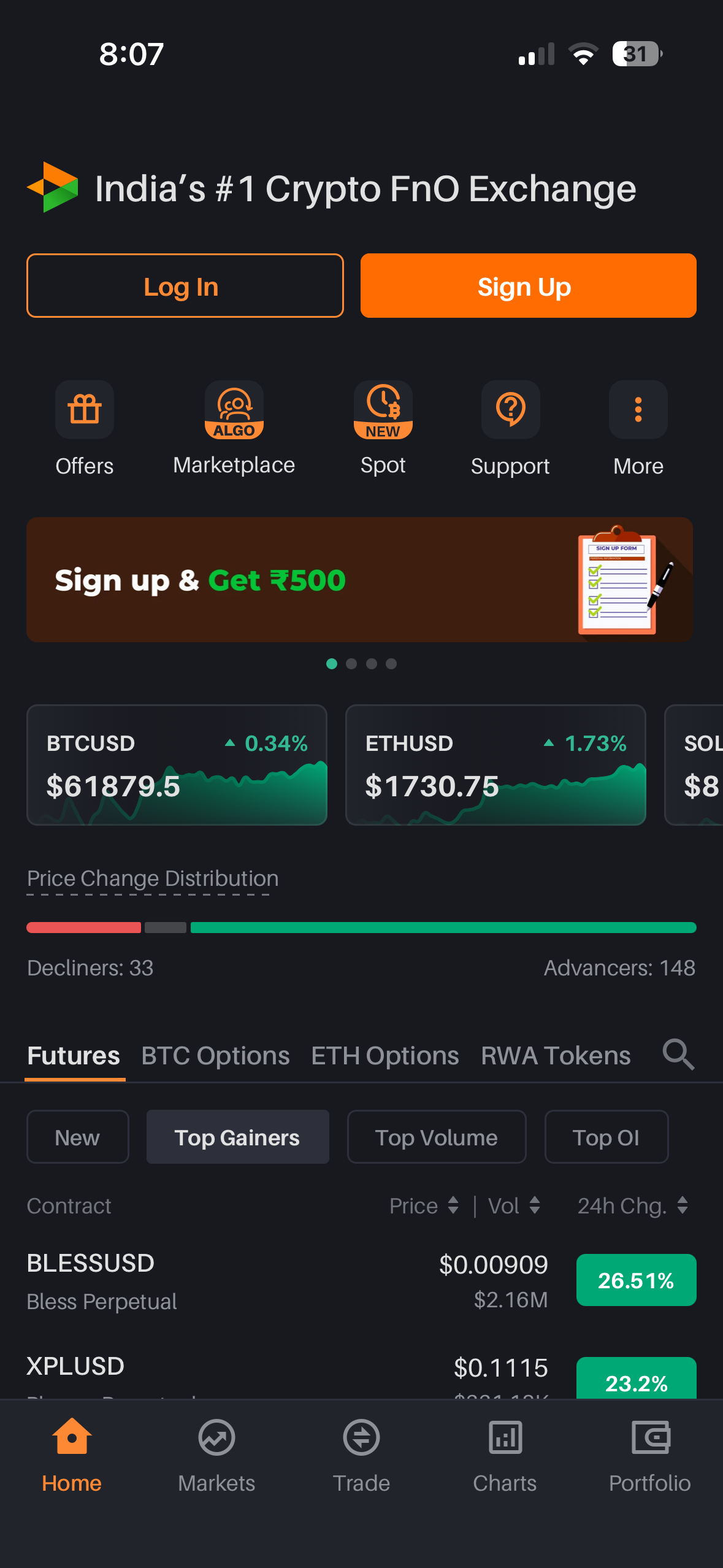
Logged-out home capture
03 Browse home
3 CTAs compete
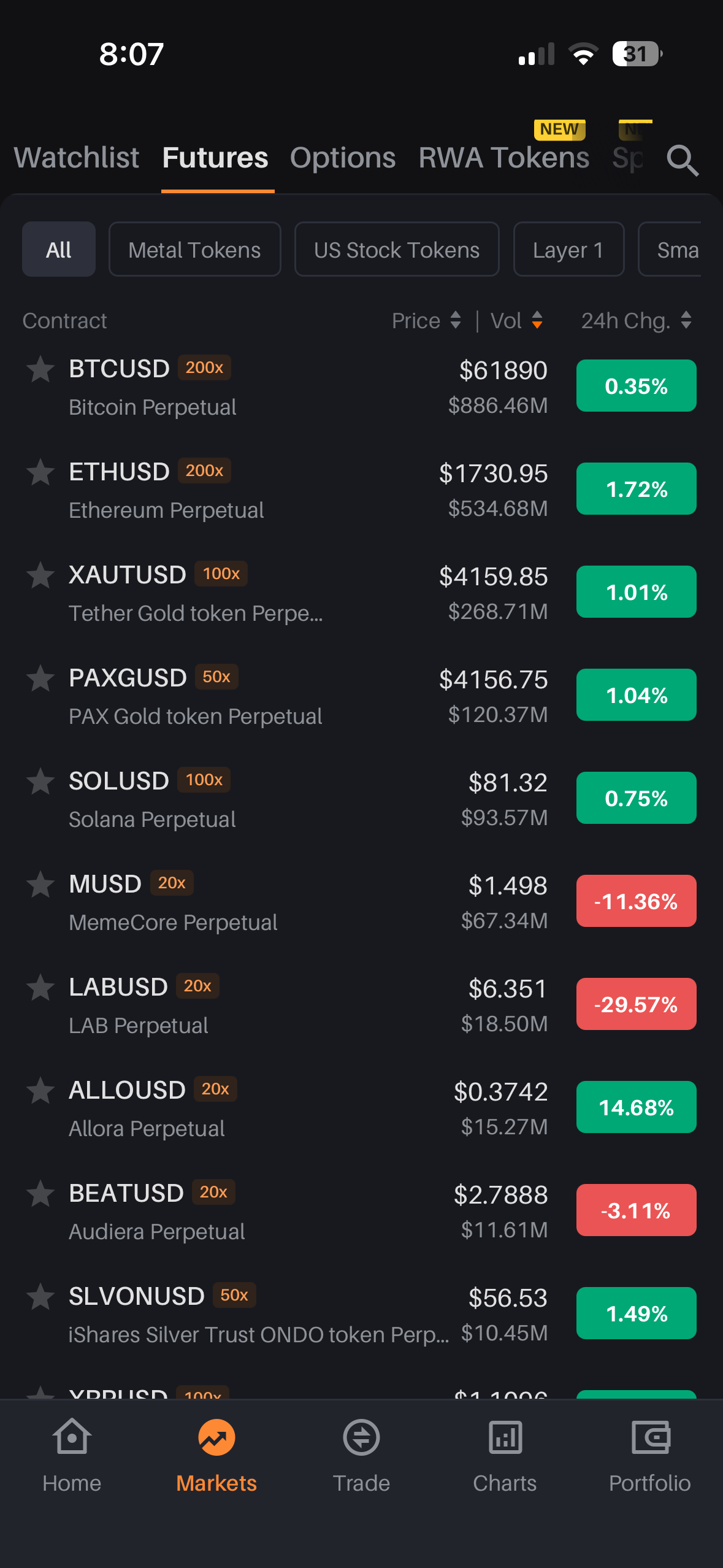
Markets capture
04 Markets
200x, unexplained
S2 · CREATE
Account in a minute
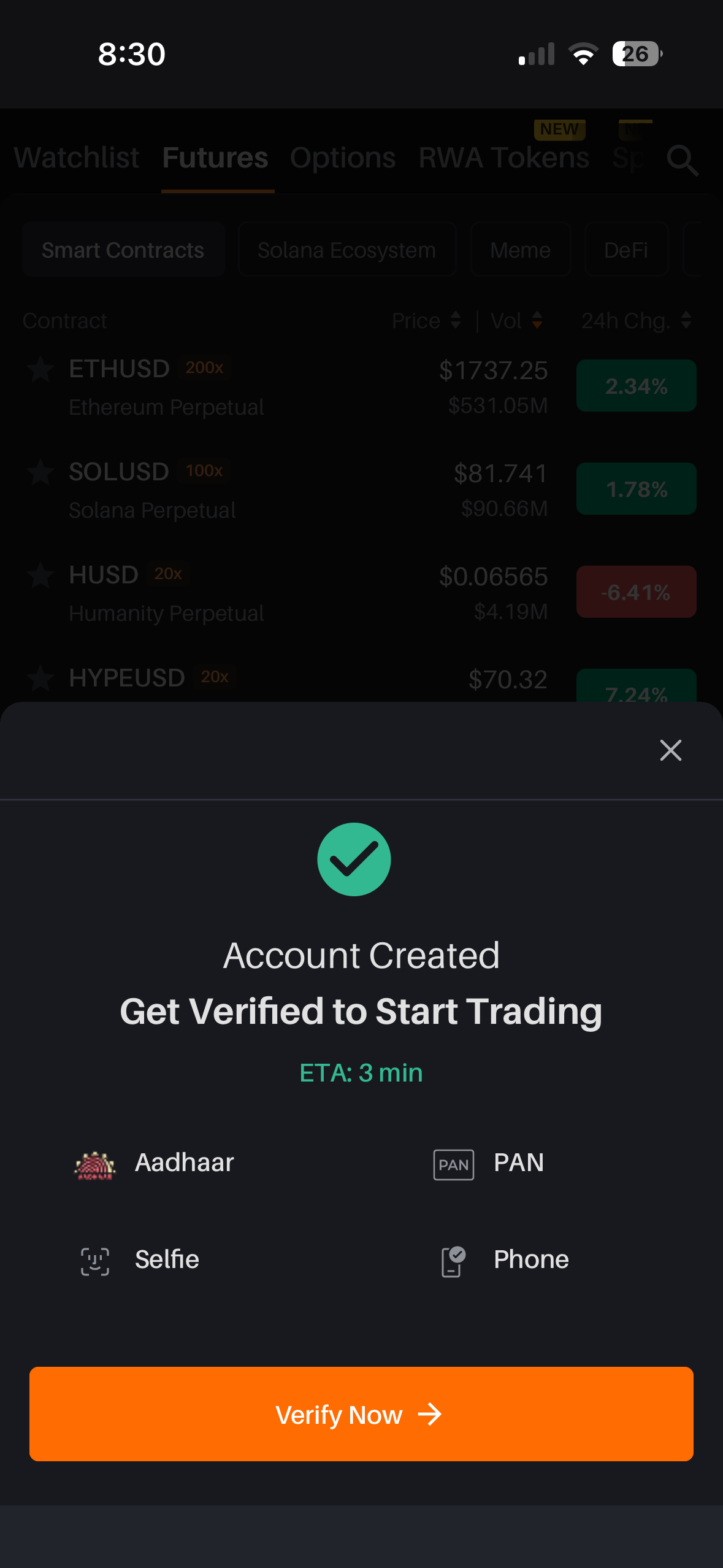
Account created modal capture
05 Account created
flat checklist
Phone OTP capture
06 Phone OTP
invisible fields
Notification capture
07 Notification
3 tones, verb №4
S3 · VERIFY
KYC and its handoffs
KYC entry capture
08 KYC entry
verb №1
KYC entry variant capture
09 Same screen
verb №2
Entity KYC capture
10 Entity KYC
unknown domain
DigiLocker consent capture
11 DigiLocker
over-scoped consent
DigiLocker processing capture
12 DL processing
loader №3
Selfie instruction capture
13 Selfie intro
art contradicts copy
Selfie capture screen
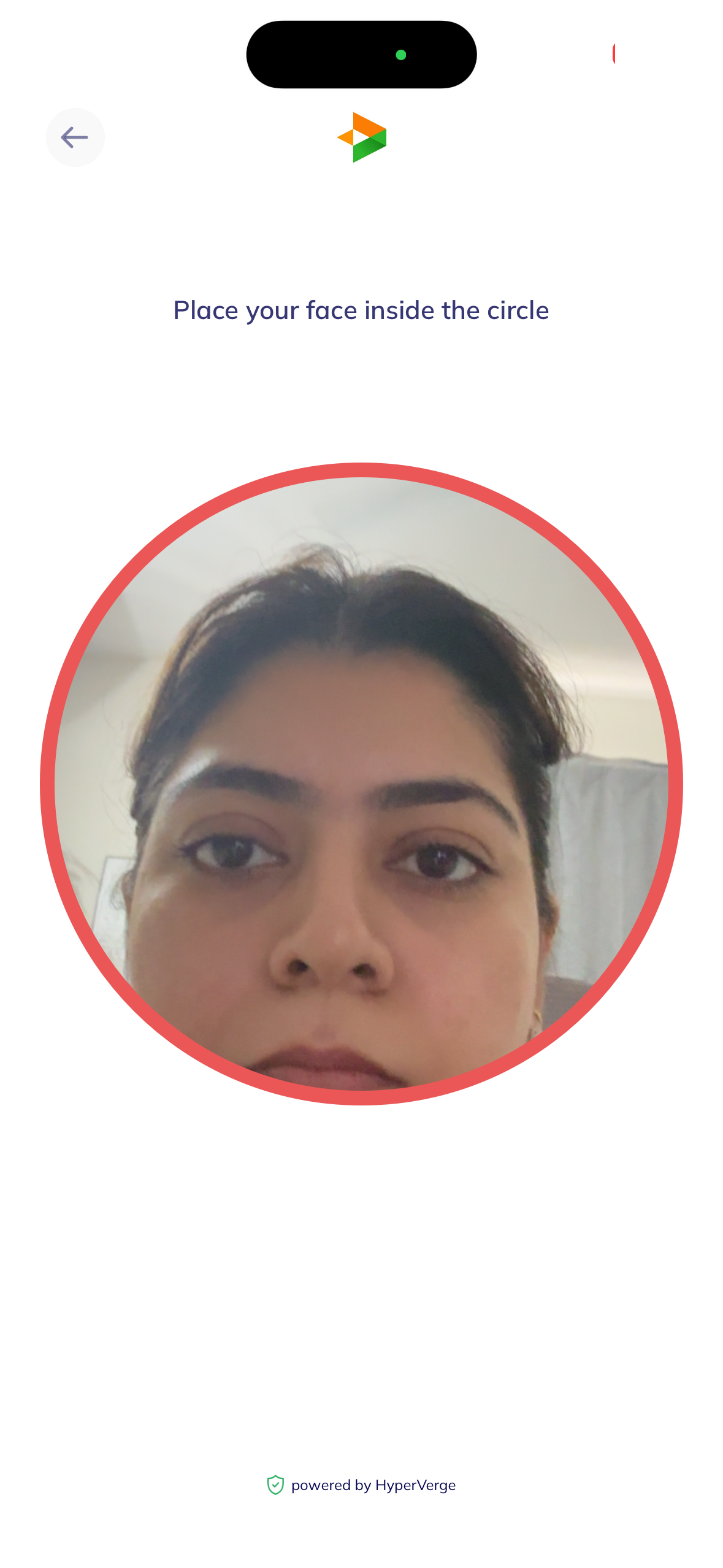
14 Selfie capture
red ring unclear
Verification wait capture
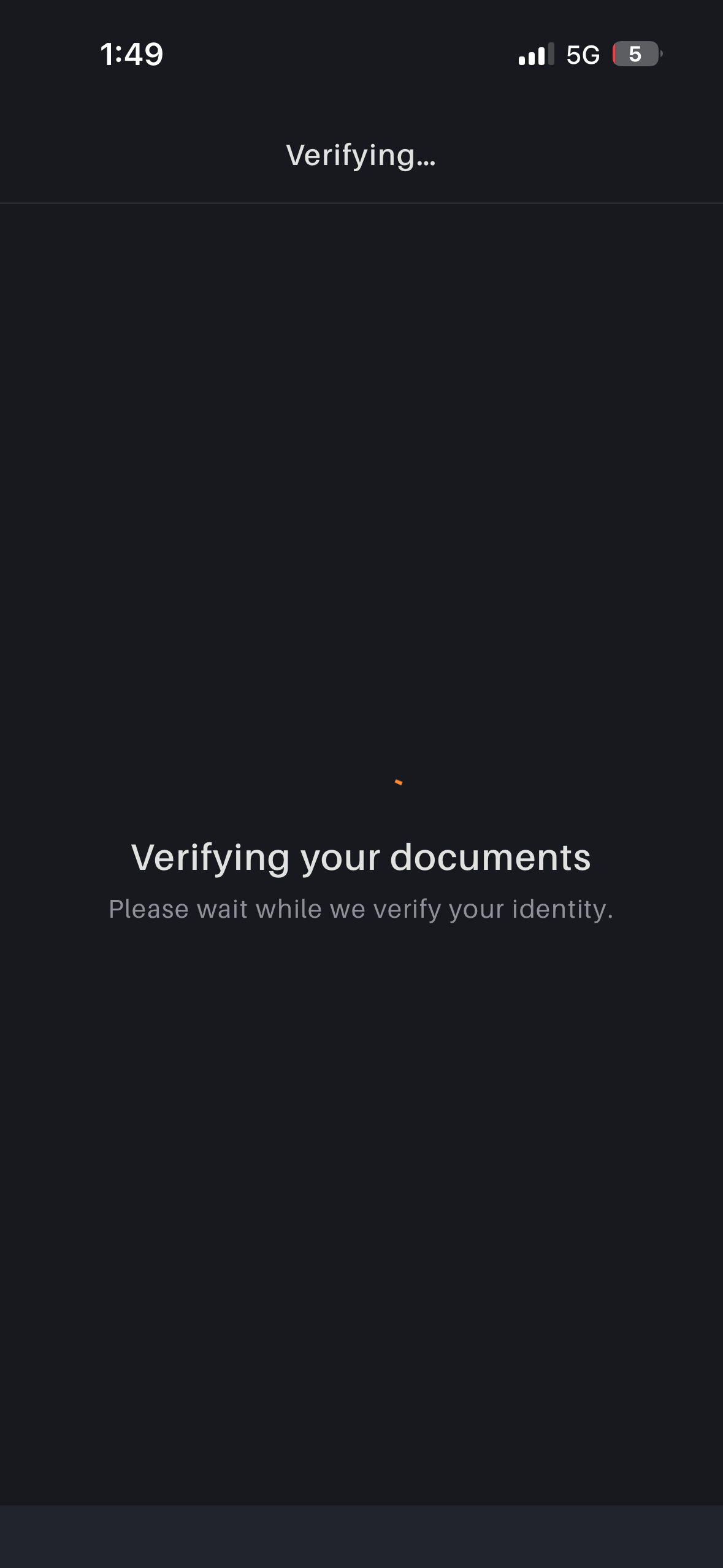
15 Verifying
spinner wait
S4 · FUND
From approved to funded
Add bank stepper capture
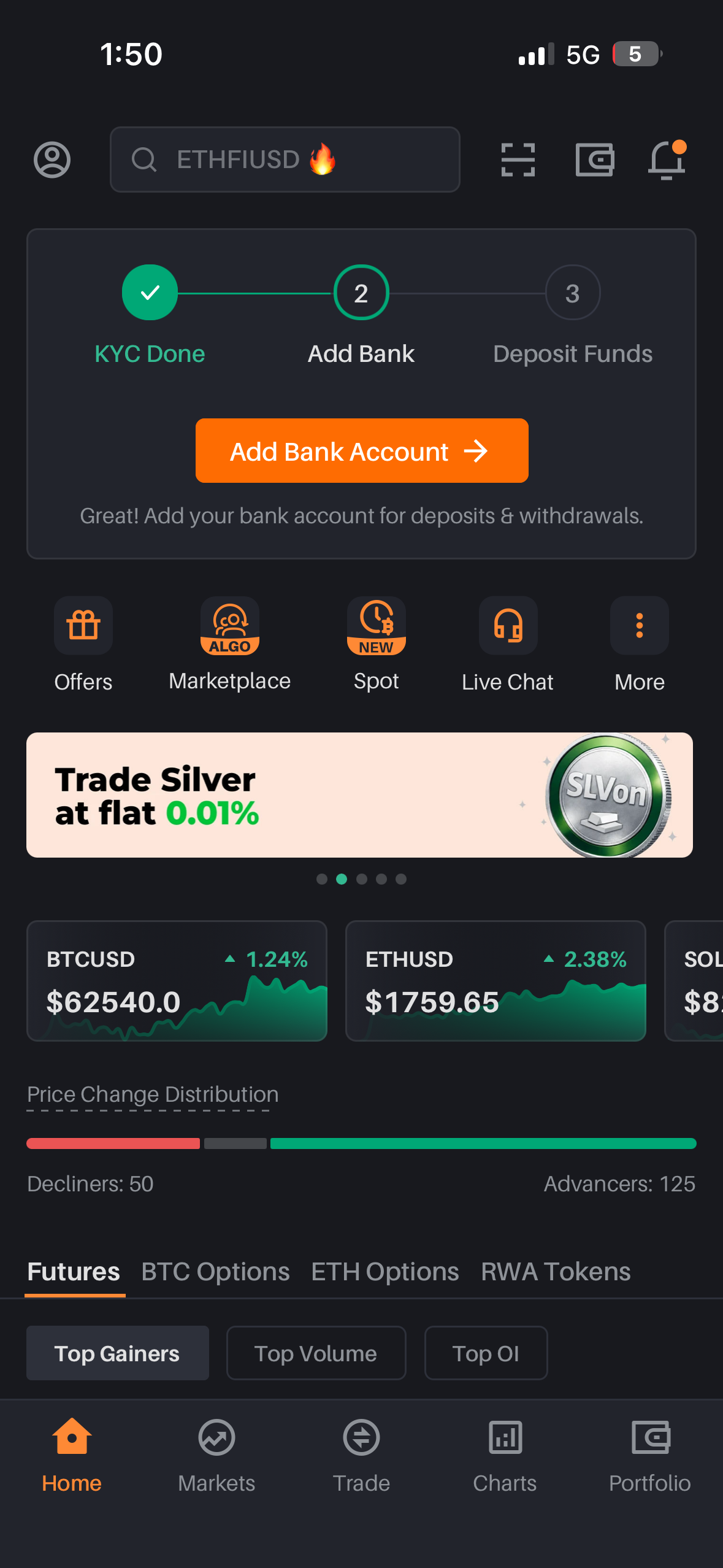
16 Add bank
2 steps to money
Home with KYC banner capture
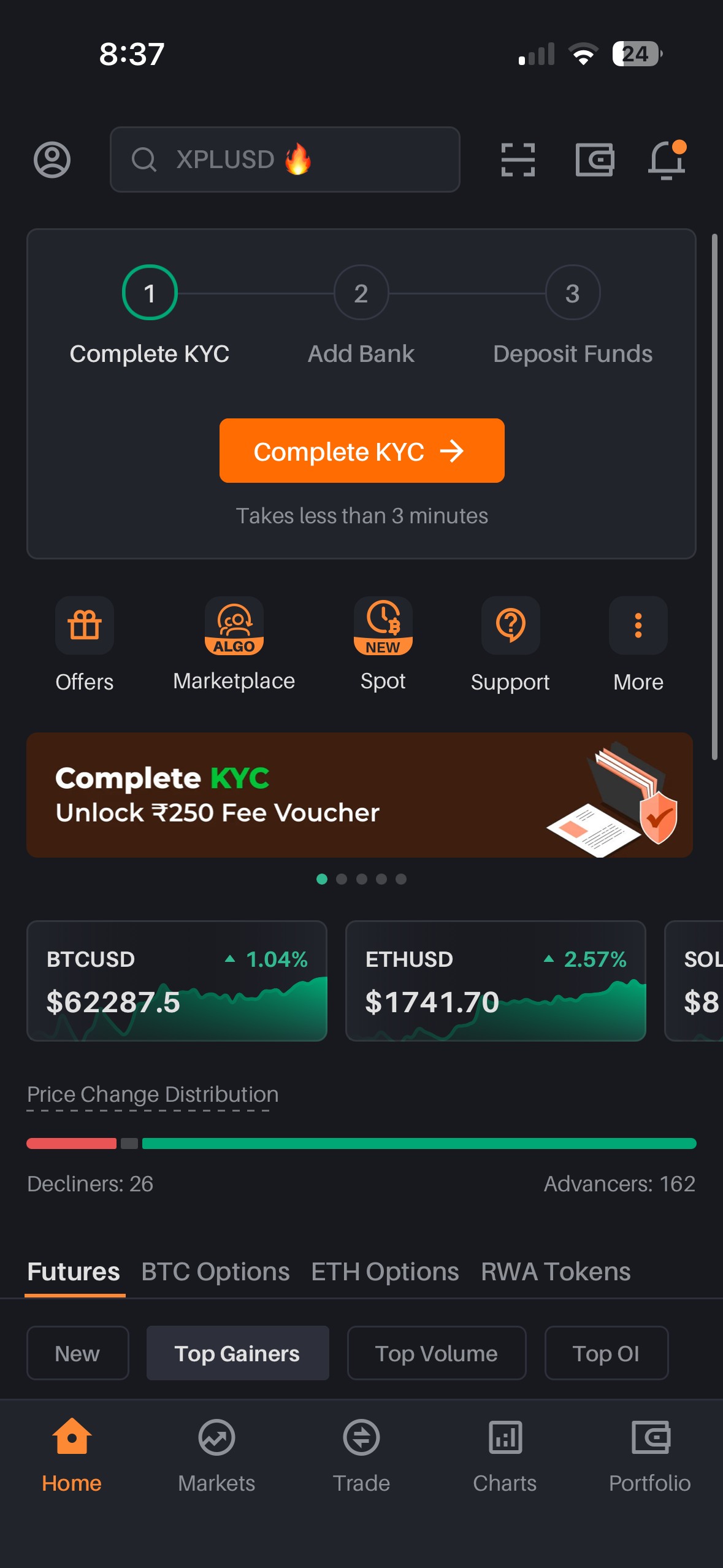
17 Home + banner
setup × 3 surfaces
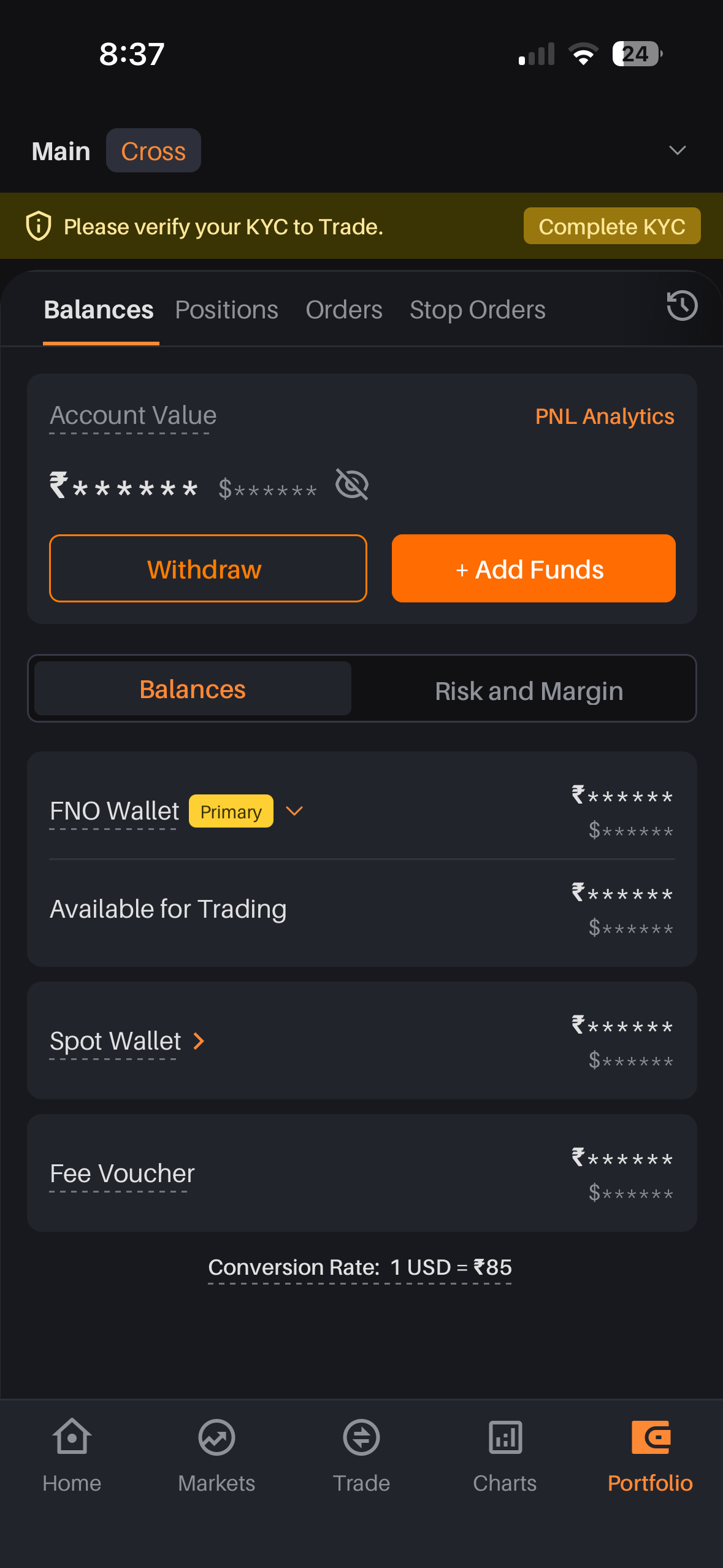
Portfolio capture
18 Portfolio
₹•••••• hides ₹0
S5 · TRADE
First contract, safely
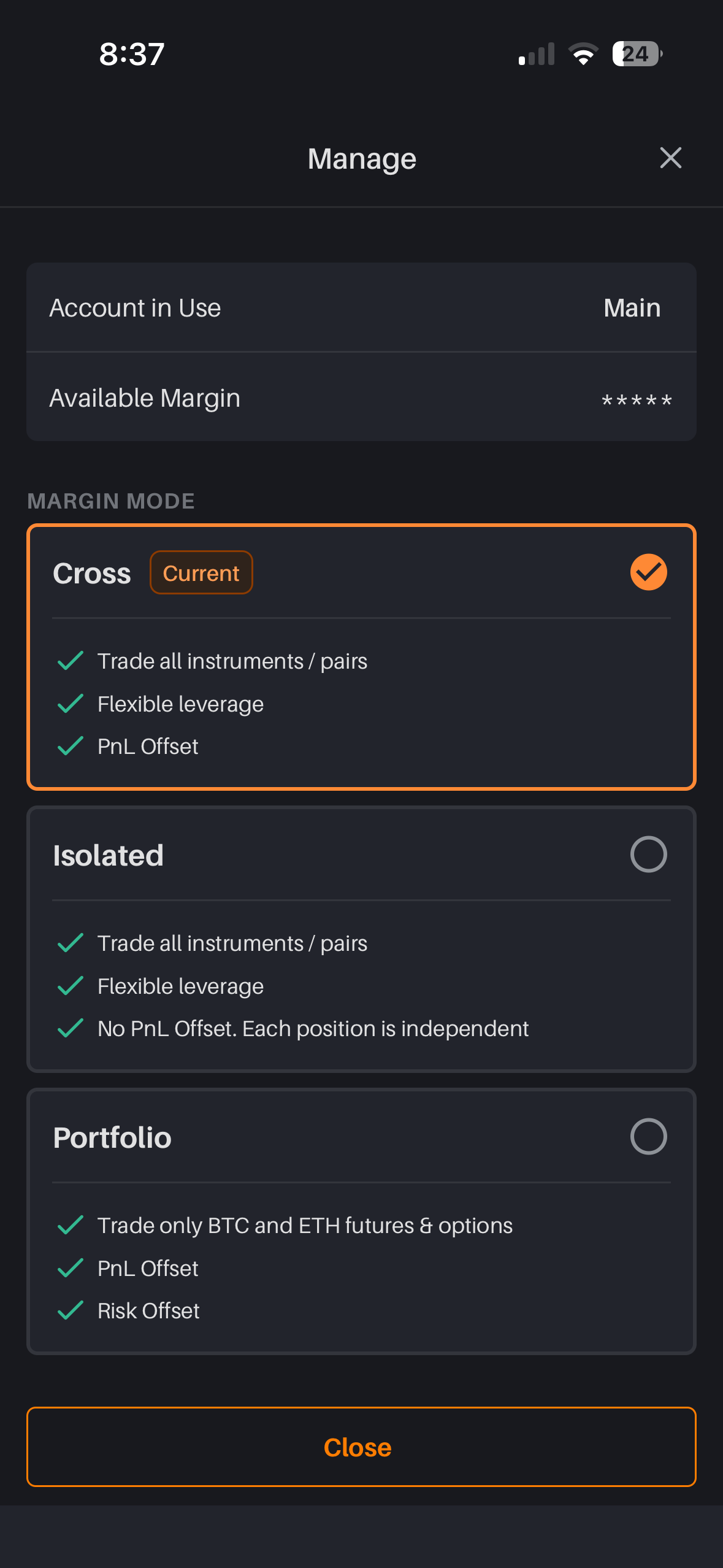
Margin mode sheet capture
19 Margin mode
jargon-heavy
STAGE 1 · DISCOVER · SCREENS 01-04

The app before the account

Delta's strongest asset is a live derivatives market. The current first session adds two loaders before the user reaches it. Stage 1 gets to market value faster and gives loading a clear state.

CURRENT · 01splash
Current splash screen
CURRENT · 02loading
Current loading dots screen
PROPOSED · 01splash that preloads
8:37
Delta. Exchange
Fetching live prices · 0.4s
Warming up your marketslive
BTCUSD$61,890 · +0.35%
ETHUSD$1,730 · +1.72%
Registered · FIU, Govt. of India
PROPOSED · 02skeleton loading
8:37
Account setupresumes where you left
BTCUSD$62,287.5▲ 1.04%
ETHUSD$1,741.70▲ 2.57%
>2sSlow network. Retry
SHIP NOWWAIT STATE

01-02 · Use one loading system

The capture shows a splash loader, then a second black loading screen. The proposal uses the splash for boot, then moves every later wait into the screen itself with skeletons, named status, and retry copy.

Use a simple budget: under 400ms show nothing, up to 2s show skeleton, past 2s explain the delay and offer retry.

BehaviorFirst price appears before the first tap.
CURRENT · 03logged-out home
Current logged-out home
PROPOSED · 03market-first home
8:07
Delta.
Log in
Watch a market first.
Sign up when it moves you.
India's regulated crypto F&O exchange · FIU registered
BTC ETH SOL Gold
BTCUSD Bitcoin Perpetual▲ 0.34%
$61,879.5
Get pinged when BTC moves 2%Set alert →
Create account
Browsing is free. KYC only when you fund.
Home Markets Trade Charts Portfolio
TESTMARKET FIRST

03 · The logged-out home sells one thing: a market you'll want to follow

The capture stacks Log In, Sign Up, utility icons, and a ₹500 banner before the user has a reason to care. The proposal puts a live market and one useful action first: set a price alert.

Keep the ₹500 offer secondary to the market hook.

BehaviorAlert-first signup creates a return trigger even if the user churns today.
CURRENT · 04markets
Current markets list
PROPOSED · 04leverage that explains itself
8:07
WatchlistFuturesOptionsRWA
All Metals US Stocks ✓ New-trader lens
ContractPrice / Vol · 24h
BTCUSD 200x ⓘ
Bitcoin Perpetual
$61,890
$886.46M
0.35%
What 200x means: ₹100 of margin controls ₹20,000 of BTC. A move of ~0.5% against you can liquidate the position.
Margin in 60sStart at 10x
ETHUSD 200x
Ethereum Perpetual
$1,730.95
$534.68M
1.72%
XAUTUSD 100x
Gold token Perpetual
$4,159.85
$268.71M
1.01%
MUSD 20x
MemeCore Perpetual
$1.498
$67.34M
-11.36%
Home Markets Trade Charts Portfolio
SHIP NOWRISK COPY

04 · Explain the 200x chip at the tap

The markets list is dense and useful. The orange 200x chip is the part that needs context for a new trader. The proposal keeps the list, makes the chip tappable, and offers a safer default for new accounts.

A new-trader lens toggle keeps this scaffolding out of the way of pros: on by default for accounts under 7 days old, one tap to dismiss forever.

BehaviorRisk explanation appears when the user taps the chip.
STAGE 2 · CREATE · SCREENS 05-07

Sixty seconds of momentum

Account creation is fast. The next screens need to keep that momentum: show the next KYC step, make OTP entry visible, and use one notification pattern.

CURRENT · 05account created
Current account created modal
PROPOSED · 05setup ladder
8:30
Account created
Each step opens something useful. Total ≈ 3 min.
Browse every marketready
1Phone · 30senables price alerts
2Aadhaar + PAN · 90senables deposits
3Selfie · 30senables trading
4Fund with UPI · 2 min₹500 credit lands here
Start with phone · 30s
Close anytime. Setup resumes here.
SHIP NOWSETUP MODEL

05 · Turn requirements into a setup ladder

The capture celebrates account creation, then shows a flat list of Aadhaar, PAN, selfie, and phone. The proposal makes the order clear and ties each step to what it makes available.

Use this setup component on home, KYC, notifications, and portfolio so the user sees one source of truth.

BehaviorLater preserves progress and resumes from the same card.
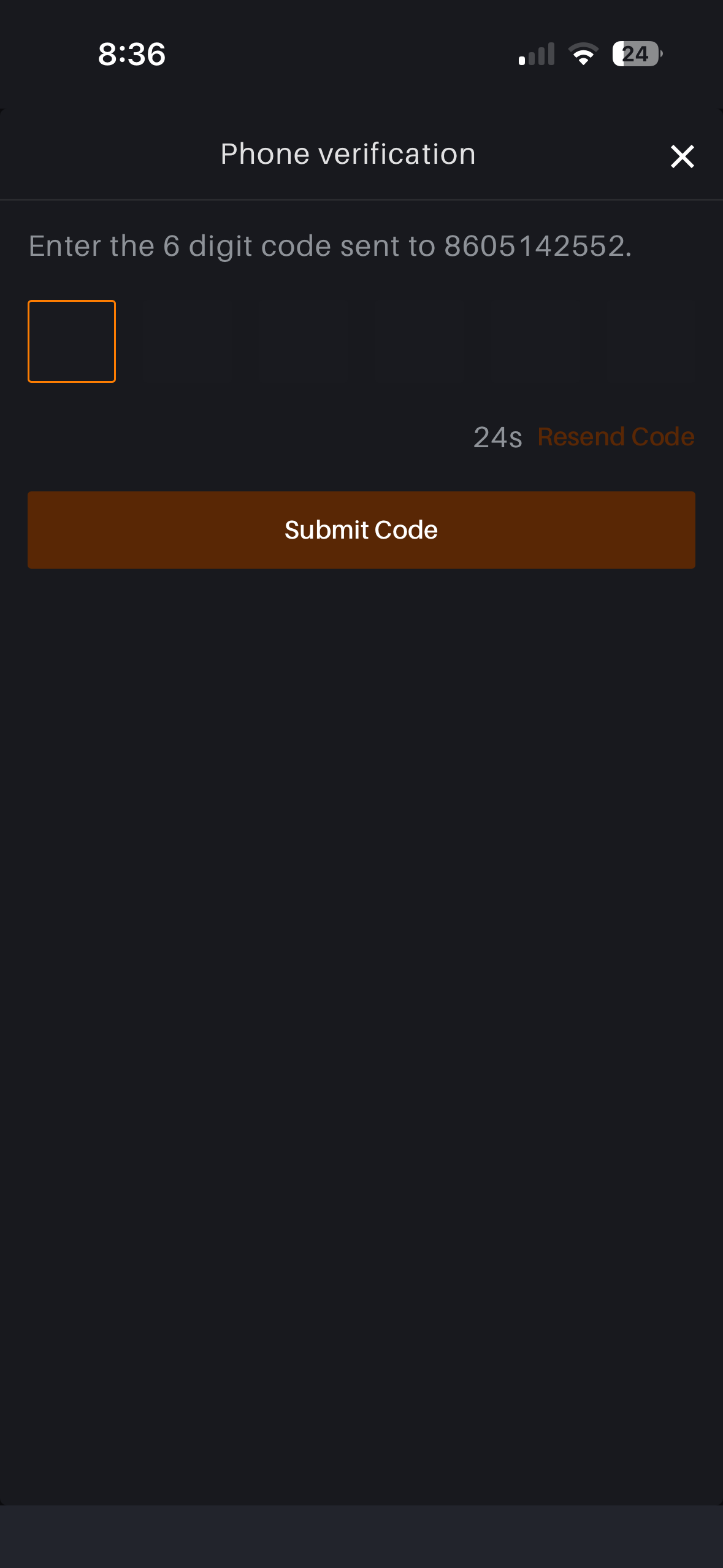
CURRENT · 06phone OTP
Current OTP screen with invisible fields
PROPOSED · 06zero-tap OTP
8:36
Phone verification×
Enter the 6-digit code sent to •••••• 2552 · Edit
4 2 7
Reading from Messages
Resend in 0:24WhatsApp · Voice call
Use your Aadhaar-linked number. It helps the next step.
123 456 789 0
SHIP NOWOTP STATE

06 · Make OTP entry visible

In the capture, most OTP boxes blend into the background and the disabled button is the heaviest element. The proposal makes the fields visible at rest, supports Messages autofill, and submits after the sixth digit.

Recovery options should appear before the user needs to hunt for them.

BehaviorMedian OTP completion drops to SMS-delivery time; zero decision points.
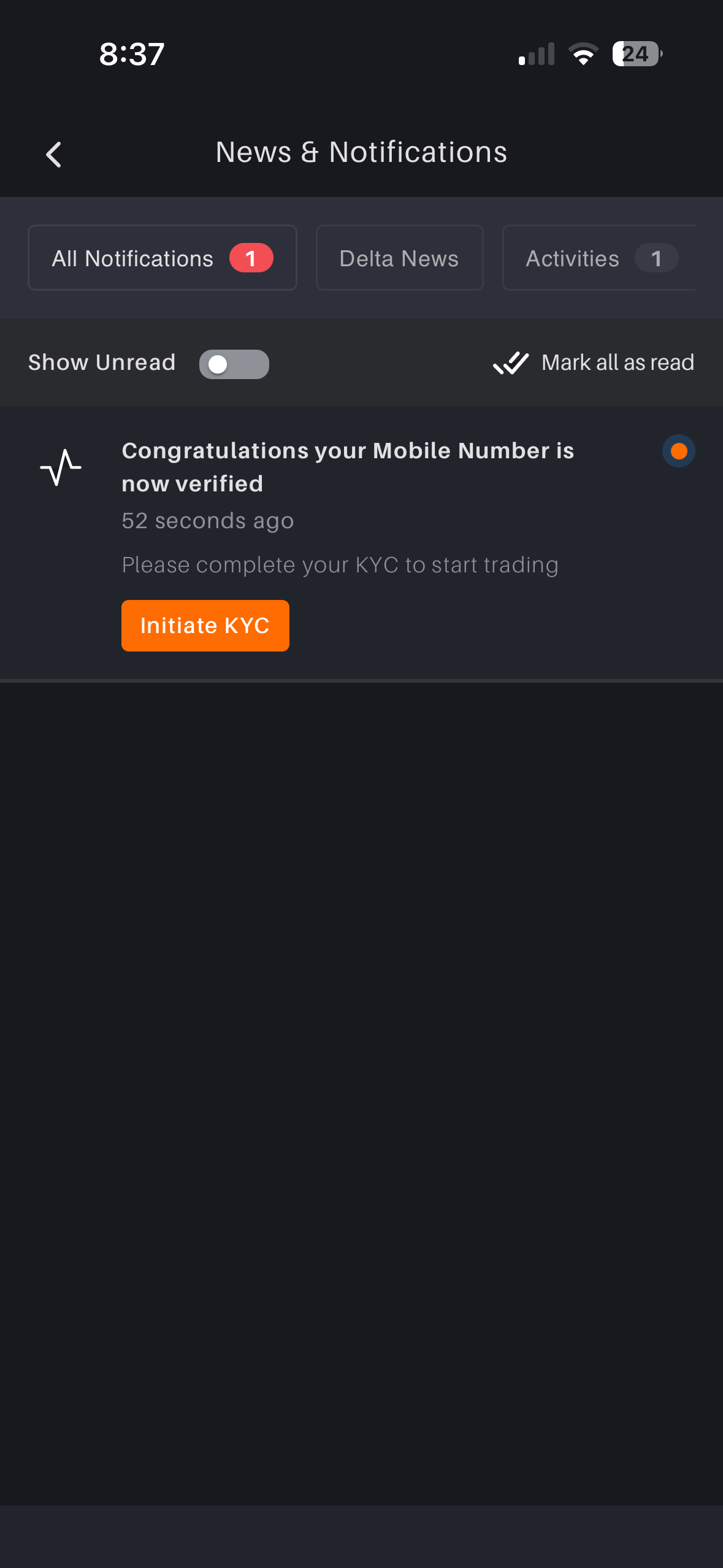
CURRENT · 07notification
Current notification screen
PROPOSED · 07status + next action
8:37
Notifications
All 1 Account Markets News
Phone verified52s ago
Next: Aadhaar + PAN · ~90s · enables deposits
Continue setup
Yesterday
BTC moved +2.1%
$61,890 · tap for chart
Welcome to Delta
Your ₹500 credit is reserved
Next: Continue setup
SHIP NOWSETUP MODEL

07 · Give notifications state and next action

The captured card says “Congratulations,” asks the user to complete KYC, then uses a fourth verb: “Initiate KYC.” The proposal uses the same pattern for every notification: state, progress, next action.

Price alerts and account notices can share that pattern.

BehaviorDeep-link lands on the current rung, never the top of the KYC flow.
STAGE 3 · VERIFY · SCREENS 08-15

KYC and its handoffs

Eight captures sit inside verification. This is where Delta asks for documents, moves into DigiLocker and HyperVerge, then asks the user to wait. The redesign makes each handoff clear and recoverable.

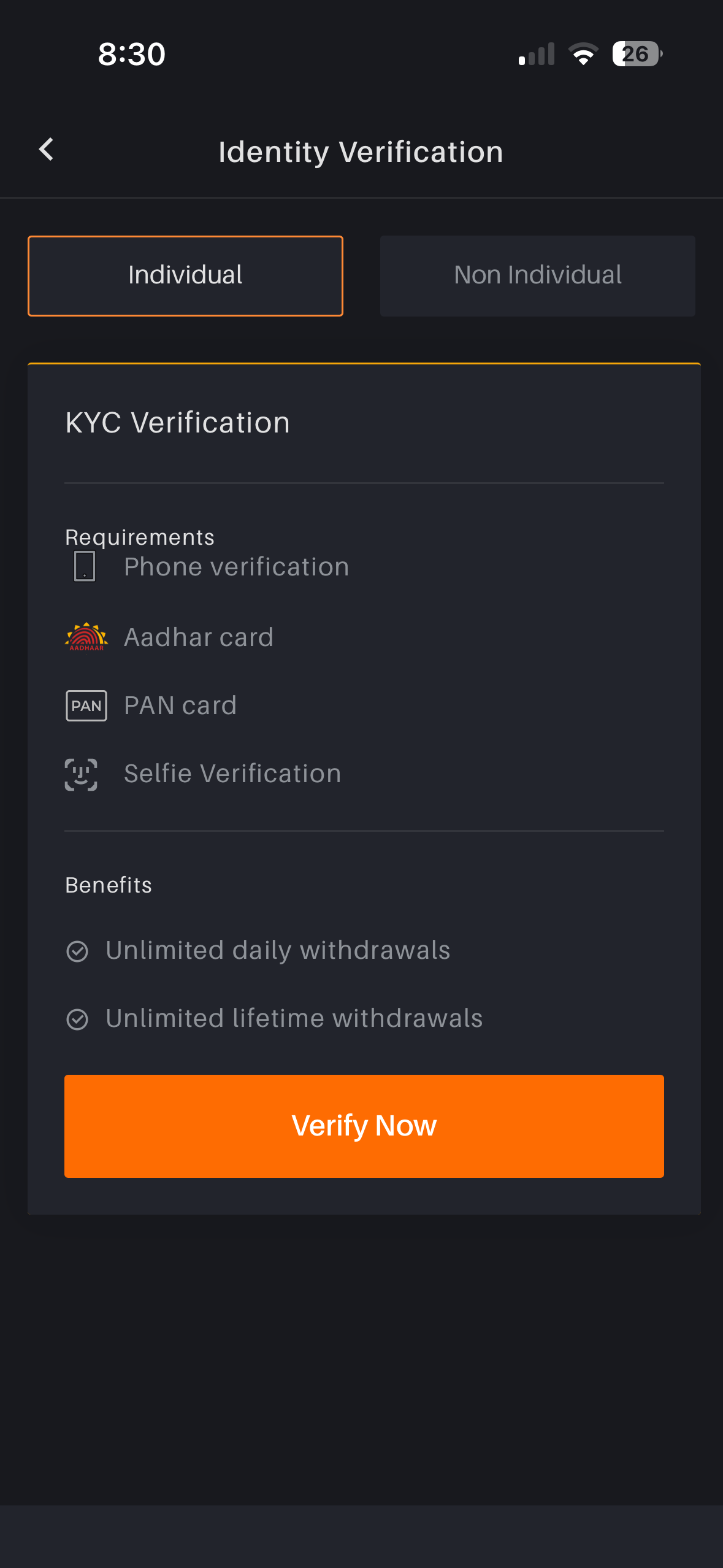
CURRENT · 08“Verify Now”
Current KYC entry with Verify Now
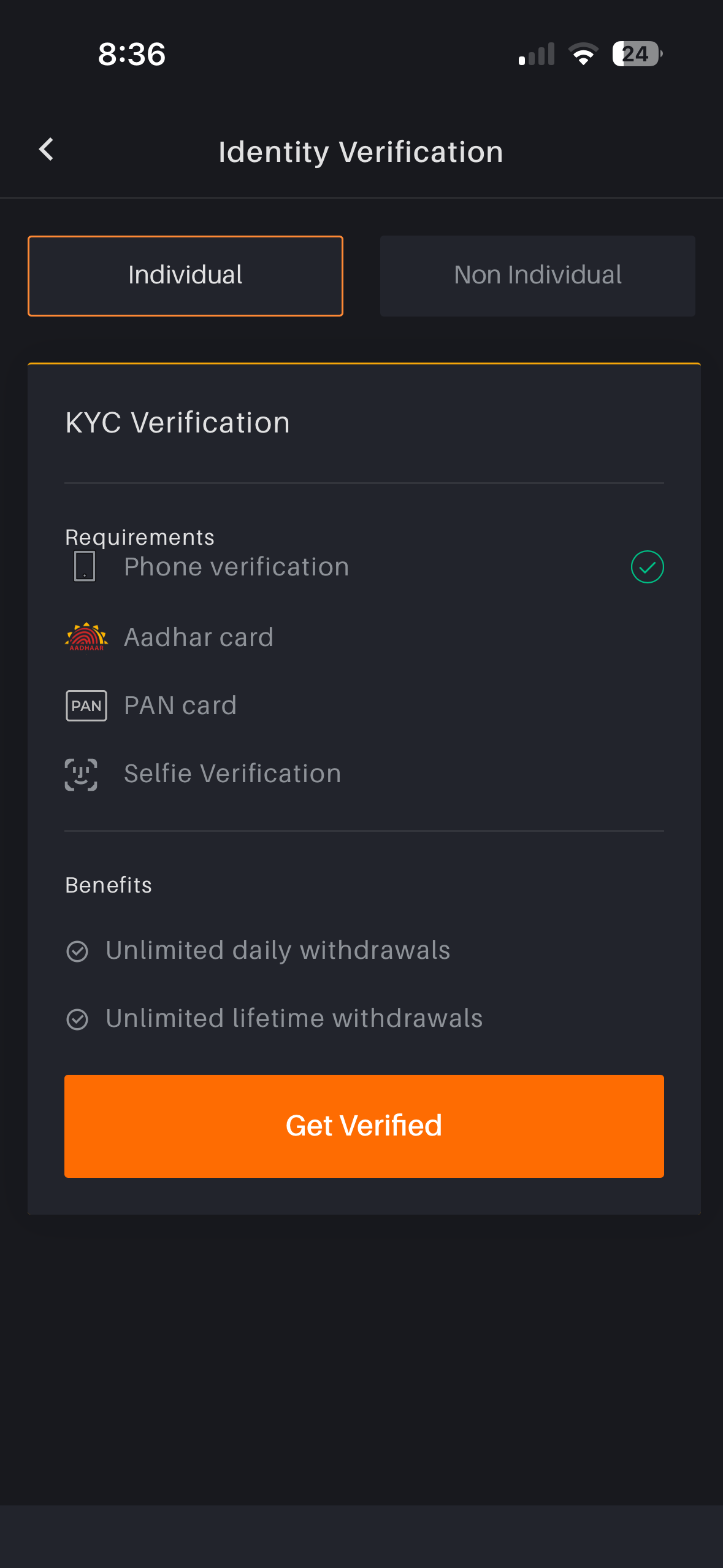
CURRENT · 09same screen, “Get Verified”
Current KYC entry with Get Verified
PROPOSED · 08-09setup hub
8:30
Account setup
Individual Non-Individual
D
Verify with DigiLocker
One consent covers Aadhaar + PAN
⏱ ~90 seconds·No document photos·Govt. locker
Continue with Aadhaar + PAN
Delta receives verified fields only.
Phone verificationDone
2Aadhaar + PAN via DigiLockerUp next
3Selfie check · 30sLater
No DigiLocker? Upload documents (~24h review)
Your place is saved automatically. Close anytime.
SHIP NOWSETUP MODEL

08-09 · Make KYC one screen with one verb

Captured six minutes apart, the same screen says Verify Now and Get Verified, and spells Aadhaar as “Aadhar.” The proposed hub makes DigiLocker the main path, manual upload the fallback, and the step list the live state.

The user sees what is done, what is next, and what each step makes available.

BehaviorOne verb (“Continue”) from every entry point; state memory kills restart anxiety.
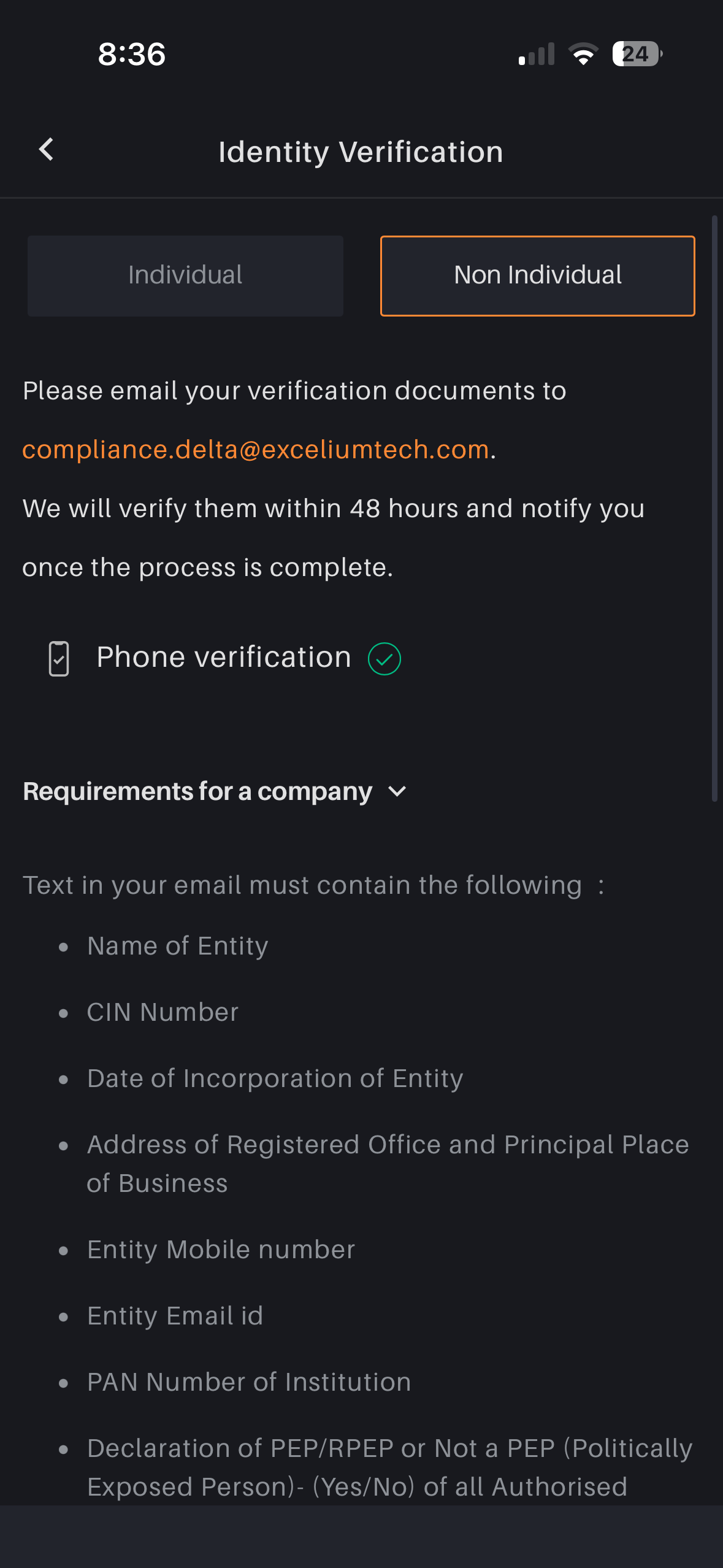
CURRENT · 10entity KYC
Current entity KYC email instructions
PROPOSED · 10company checklist
8:36
Account setup
Individual Non-Individual
iReviewed by Excelium Tech, Delta Exchange's compliance operations partner. Why a partner?
Company checklist · 0 of 6 ready
Company PAN + incorporation certificate
CIN + date of incorporation
Registered office + principal place
Authorised signatory + entity mobile
PEP / RPEP declaration for all signatories
Board resolution, if account type needs it
Generate pre-filled email
Sent → In review → Approved · 48h SLA, tracked here
NEEDS LEGAL COPYENTITY COPY

10 · Move entity KYC into a checklist

The capture asks entity users to email sensitive documents to compliance.delta@exceliumtech.com with no explanation of the domain. The proposal keeps the email path but moves the work into a checklist and explains who reviews it.

Legal should approve the exact Excelium line before this ships.

BehaviorChecklist state survives sessions; the 48h wait has a place to point at.
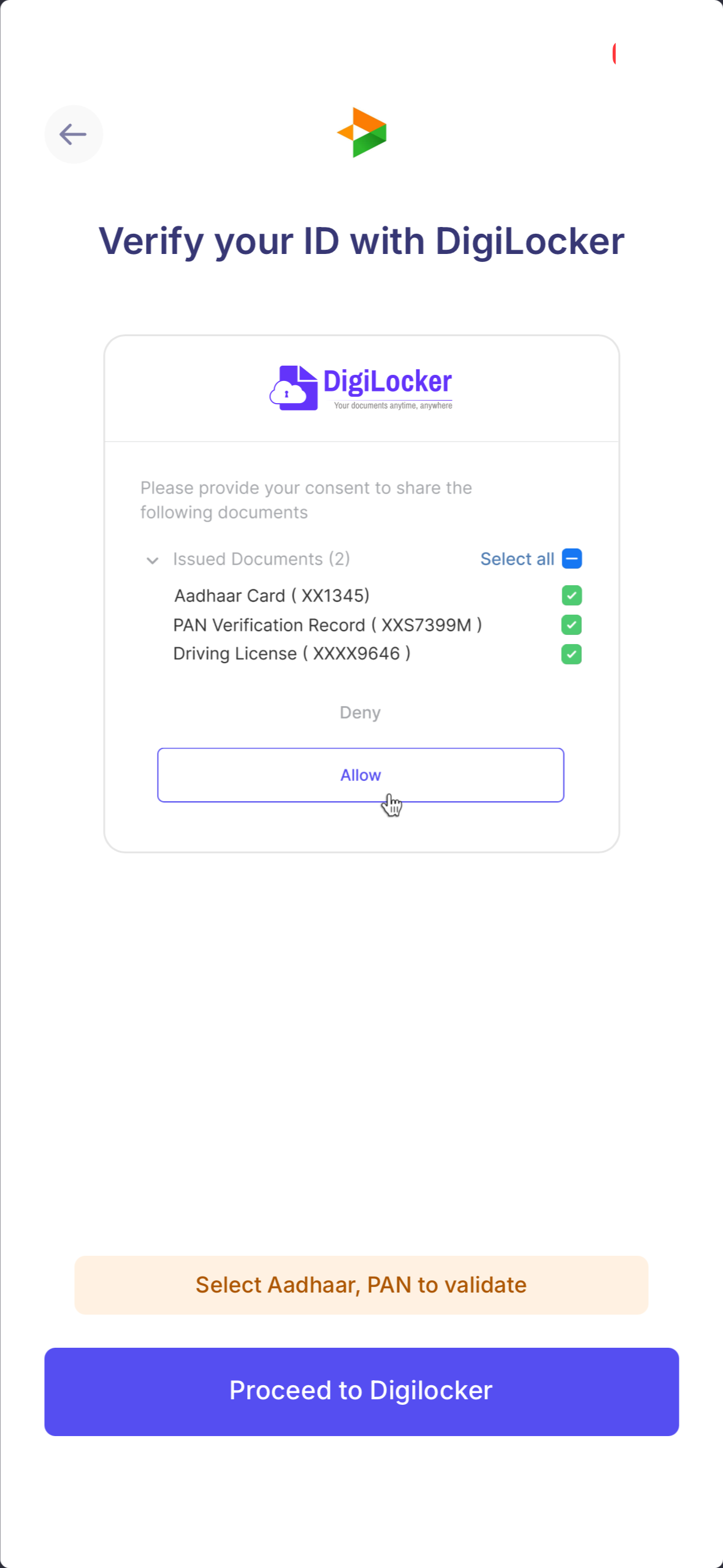
CURRENT · 11DigiLocker consent
Current DigiLocker consent webview
PROPOSED · 11a branded, scoped bridge
8:31
Delta → DigiLocker → back to Delta
Step 2 of 3 · your documents stay in the govt. locker
D
DigiLocker
Government of India document wallet
Delta Exchange requests two documents, once:
Aadhaar card (XX1345)required
PAN record (XXS7399M)required
Driving licence skipped
You share verified fields: name, DOB, address, PAN number.
Allow 2 documents
Deny
PARTNER INTEGRATIONDIGILOCKER SCOPE

11 · Scope the consent, brand the bridge

The captured webview pre-selects three documents, including a driving licence, then asks users to deselect one. The proposal requests Aadhaar and PAN only and explains what fields transfer.

Keep the Delta bridge visible so users know they will return to the app.

BehaviorConsent matches necessity; the amber “fix your selection” warning becomes obsolete.
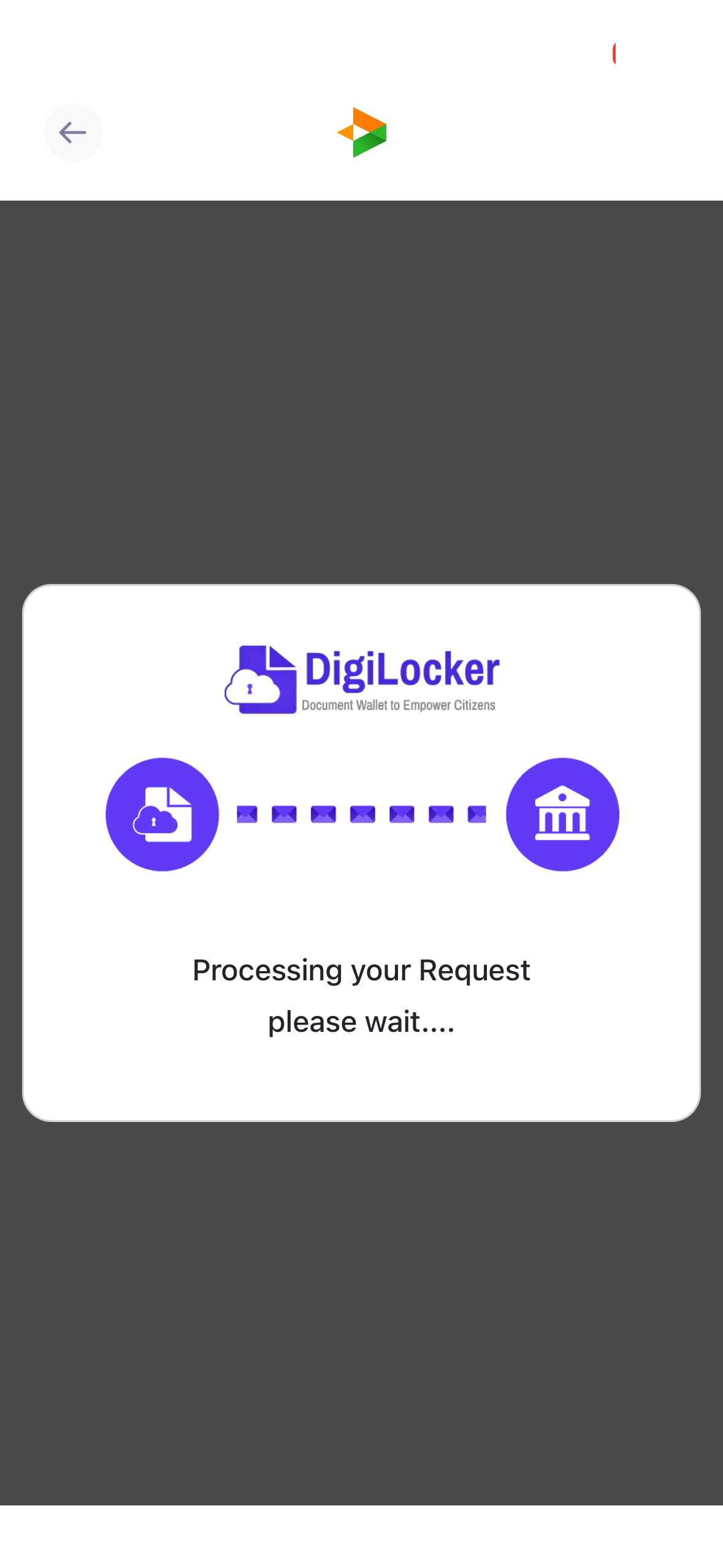
CURRENT · 12DigiLocker processing
Current DigiLocker processing screen
PROPOSED · 12narrated fetch
8:32
Returning to Delta automatically
Step 2 of 3 · about 20 seconds left
D
DigiLocker
Connected to DigiLocker0:02
Aadhaar fields received0:09
Fetching PAN record…now
Matching details with your account
You can lock your phone. We will notify you.
PARTNER INTEGRATIONWAIT STATE

12 · Name each DigiLocker processing step

The capture is a grey overlay with a vague wait message. The proposal names each verification step and keeps the Delta return path visible.

Named steps make failures easier to recover from.

BehaviorNamed steps make support and retry clearer.
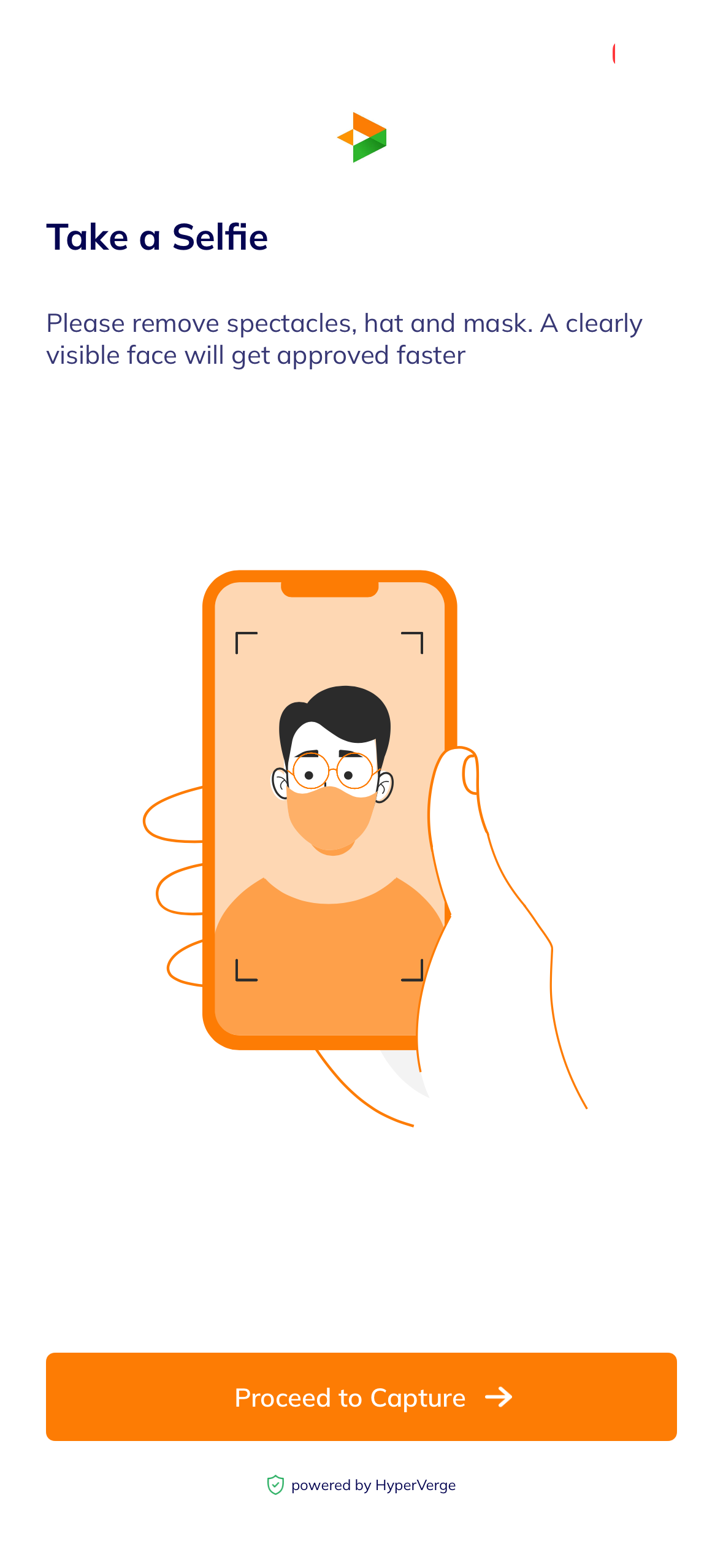
CURRENT · 13selfie instruction
Current selfie instruction with contradictory illustration
PROPOSED · 13camera opens directly
8:33
Selfie check · last step, ~30s×
✓ Good light ✓ Face centred ✕ Remove glasses
Live guidance
Captures by itself once every check is green.
Secured by HyperVerge · checks run on device first
SHIP NOWCAMERA STATE

13 · Put selfie guidance in the camera

The captured page tells users to remove spectacles and mask while its illustration wears both. The proposal moves instruction into the camera state and shows the fix when the user needs it.

One fewer screen, one fewer drop-off point.

BehaviorInstruction appears at the moment of error.
CURRENT · 14selfie capture
Current selfie capture with red ring
PROPOSED · 14auto-capture + instant retry
8:34
Hold still…×
capturing · 2
✓ Light ✓ Centred ✓ No glasses
If a check fails
!Too dark. Face a window.Retry now
Retry here. No restart.
VENDOR CONFIGCAMERA STATE

14 · Make selfie capture automatic and retry specific

The captured camera shows a face in a red ring with no explanation of what red means or how to fix it. The proposal gives the ring meaning, captures when checks pass, and returns a named retry reason when they fail.

If HyperVerge supports these states, this can be configuration-led.

BehaviorZero decisions during capture; retries stay inside the camera.
CURRENT · 15verifying
Current verification wait spinner
PROPOSED · 15verification status
1:49
2:40
Verifying your documents
Aadhaar ✓ · PAN ✓ · Selfie checking
While you wait
Build a watchlistBTC and ETH added. Pick 3 more.
Set a price alertBTC ±2%, 10 seconds
Leverage in 60s3 cards · earn your 20x cap
Paper-trade ₹10LPractice money, live prices
BTCUSD
your first watch
$62,540.0
▲ 1.24%
Leave anytime. We will notify you.
Verifying · 2:40
TESTWAIT STATE

15 · Give the verification wait status and useful exits

The capture is a spinner after the user has completed verification steps. The proposal shows document status and offers optional actions that fit the wait: watchlist, alert, primer, paper trade.

Test this. Useful exits can help, but they can also distract from funding.

BehaviorOptional tasks should support the next funding step.
STAGE 4 · FUND · SCREENS 16-18

From approved to funded

After KYC approval, the next job is funding. The current screens split bank, deposit, banner, and portfolio states. The proposal makes funding the main action and tells empty accounts the truth.

CURRENT · 16post-KYC home
Current post-KYC home with Add Bank step
PROPOSED · 16fund with UPI, one step
1:50
⌕ ETHFIUSD
KYC approved
One step left: fund the account
₹1,000 ₹5,000 ₹10,000
Fund with UPI · ~2 min
Any UPI app · account verified from your KYC name.
₹500 credit + ₹250 fee voucher apply on this deposit.
Prefer bank transfer?
IMPS / NEFT details
Show →
BTCUSD$62,540.0▲ 1.24%
ETHUSD$1,759.65▲ 2.38%
Home Markets Trade Charts Portfolio
TESTFUNDING STATE

16 · Make funding the next action

The capture asks a newly approved user to add a bank account before deposit. If UPI can combine bank verification and deposit, make Fund with UPI the primary action. Keep bank transfer available for larger inflows.

The credit and voucher belong on the funding screen because that is where they change the decision.

BehaviorAfter approval, the main button is funding. No form first.
CURRENT · 17home, mid-KYC
Current home with stepper, banner and carousel all about KYC
PROPOSED · 17one voice per surface
8:37
⌕ XPLUSD
Account setup · 2 of 5
~2 min left
Next: Aadhaar + PAN via DigiLocker · enables deposits
Continue · 90 seconds
Ag
Silver at flat 0.01%
SLVon perpetual. New listing.
View →
BTCUSD$62,287.5▲ 1.04%
ETHUSD$1,741.70▲ 2.57%
Advancers 162 · Decliners 26
Market note: BTC volume is up 12% today. Add funds to trade when ready.
Home Markets Trade Charts Portfolio
SHIP NOWSETUP MODEL

17 · Put setup in one home card

In the capture, the stepper says Complete KYC, the carousel repeats KYC with a ₹250 reward, and the notification uses Initiate KYC. The proposal gives home one setup card.

Promos stay in market space. Setup owns setup.

BehaviorOne accountable CTA per state; promo inventory returns to revenue content.
CURRENT · 18portfolio
Current portfolio masking zero balance
PROPOSED · 18empty portfolio
8:37
MainCross ˅Portfolio
BalancesPositionsOrdersStop Orders
Account valuePnL Analytics
₹0.00 $0.00
New account. Nothing to hide yet. Masking turns on with your first deposit.
Add funds with UPI
Withdrawavailable after first deposit
Your first trade, three taps away
KYC approved
2Fund with UPI. ₹500 credit waiting2 min
3First trade with your ₹250 voucher
INR wallet
₹0.00
UPI ready
Conversion rate: 1 USD = ₹85
Home Markets Trade Charts Portfolio
TEST · NEW ACCOUNTS ONLYPORTFOLIO STATE

18 · Show ₹0 and make Add funds primary

The captured portfolio hides ₹0 behind asterisks and offers Withdraw. For a new empty account, show ₹0 and make Add funds primary.

Masking turns on after the first deposit and the standard portfolio returns.

BehaviorState-aware UI: the same tab means different things at ₹0 and ₹50,000.
STAGE 5 · TRADE · SCREEN 19

First contract, safely

The last capture is the moment onboarding actually ends: a margin-mode decision that assumes the user already knows what margin is. The risk work from screens 04 and 15 pays off here.

CURRENT · 19margin mode
Current margin mode sheet
PROPOSED · 19margin in plain language
8:37
Margin mode×
Account: MainAvailable margin: ₹5,000
Isolated RECOMMENDED
one loss stays in its box
Each trade risks only its own margin. A bad position closes alone. It cannot drain your account.
Cross
all trades share one pool
Positions share your whole balance. Wins offset losses. One bad trade can pull from everything.
PortfolioQUIZ OR 30 DAYS
BTC & ETH only, with offsets between positions. Built for experienced hedgers.
Keep Isolated
Change anytime·Margin in 60s →
PRODUCT POLICYRISK DEFAULT

19 · A risk decision gets a recommendation, a picture, and an exit

The captured sheet describes Cross, Isolated, and Portfolio with feature checklists and has Cross selected. The proposal recommends Isolated for a new account, explains the tradeoff in plain language, and leaves advanced modes available.

This protects first trades without changing what experienced traders can do.

BehaviorDefault protects the first trade; advanced modes stay available.
SHIPPING ORDER

Ship by risk

Start with copy and configuration. Build the shared setup component next. Test the funding, verification-wait, and risk-default changes once the events are in place.

PHASE 01 · THIS SPRINT

Config, copy, contrast

  • One verb everywhere: Continue setup (08-09)
  • Visible OTP fields, auto-read, auto-submit (06)
  • Selfie guidance in the camera via HyperVerge config (13-14)
  • Scope DigiLocker consent to Aadhaar + PAN (11)
  • Loading budget: skeletons replace both loaders (01-02)
  • Notification grammar + Aadhaar spelling pass (07)
PHASE 02 · CONFIRM & BUILD

One legal line, one payments change

  • Legal copy for the Excelium relationship; entity checklist ships behind it (10)
  • Fund with UPI where UPI can handle bank verification and deposit (16)
  • Setup object as a real component across home, KYC, notifications, portfolio (17)
  • Narrated DigiLocker fetch (12)
  • Instrument every substep: OTP → DigiLocker → selfie → approval, with timestamps
PHASE 03 · EXPERIMENT

The branches that need data

  • Verification wait test: watchlist, alert, primer, paper trade (15)
  • Honest ₹0 portfolio, new accounts only (18)
  • Market-first logged-out home with alert hook (03)
  • Isolated-by-default + earned leverage caps (19), new-trader lens (04)
  • Setup ladder framing of KYC steps (05)